Microsoft Growth Margin
Overview
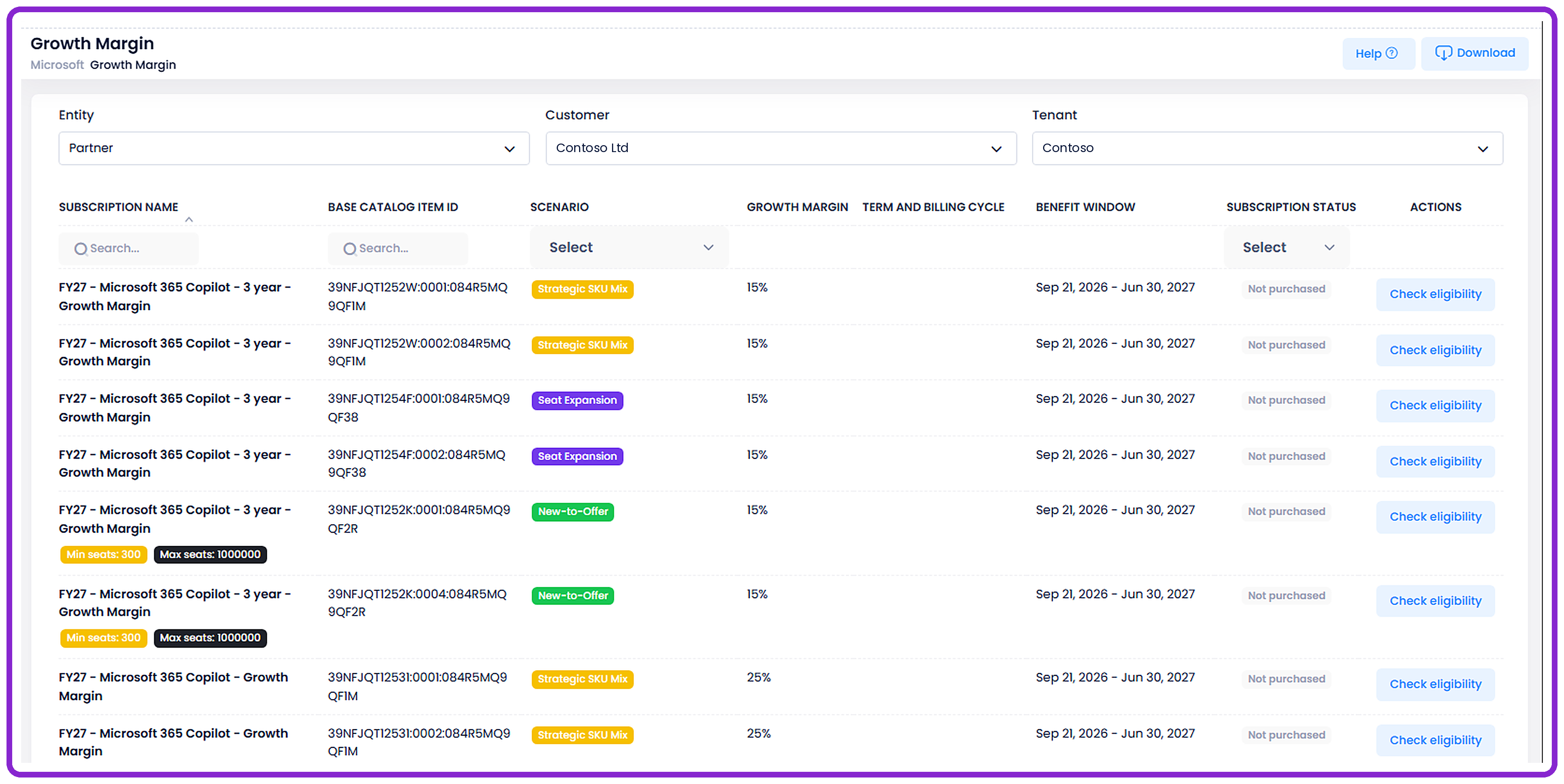
C3 now shows Partners which Microsoft offers can earn growth margin for each customer, and lets them check whether a planned purchase qualifies before they buy.
The new Growth Margin page can be accessed through:
Dashboard → Microsoft → Growth Margin
What's New
Growth Margin Offers by Customer
Partners can choose Partner or a reseller, a customer, and a Microsoft tenant to see the offers that can earn growth margin.
Each offer shows:
- Subscription name and base catalog item ID
- Scenario: New-to-Offer, Seat Expansion, or Strategic SKU Mix
- Growth margin
- Term and billing cycle
- Benefit window
- Subscription status
- Min seats and Max seats, where the offer has seat limits
Offers can be searched by subscription name or base catalog item ID, sorted, and filtered by scenario and subscription status.
Check Eligibility
Partners can check whether a specific purchase qualifies for growth margin before buying it.
Process:
- Click Check eligibility on an offer
- Enter the quantity and choose the billing cycle, subscription (new or existing), and evaluation type
- Click Check eligibility to get the result from Microsoft
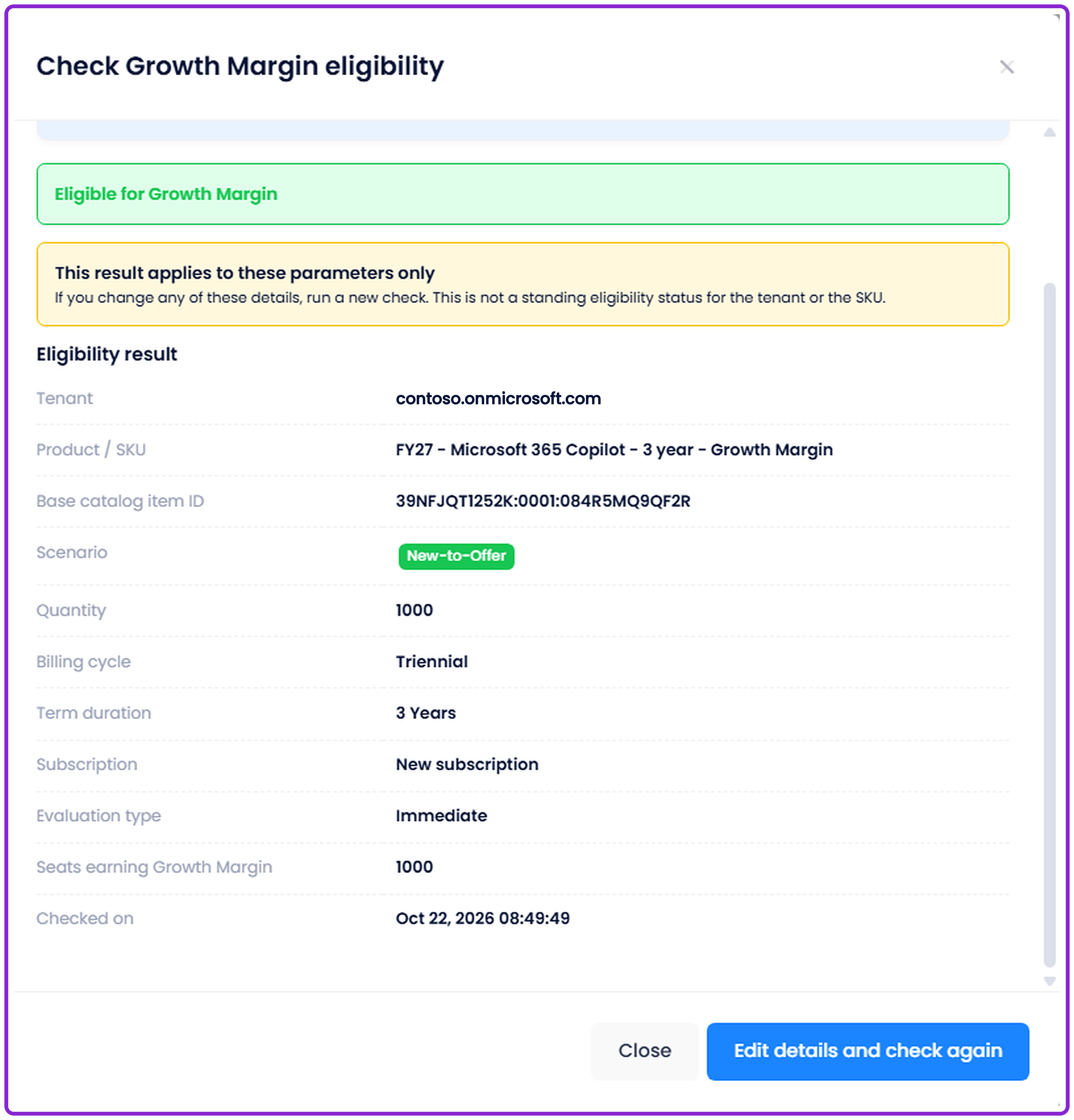
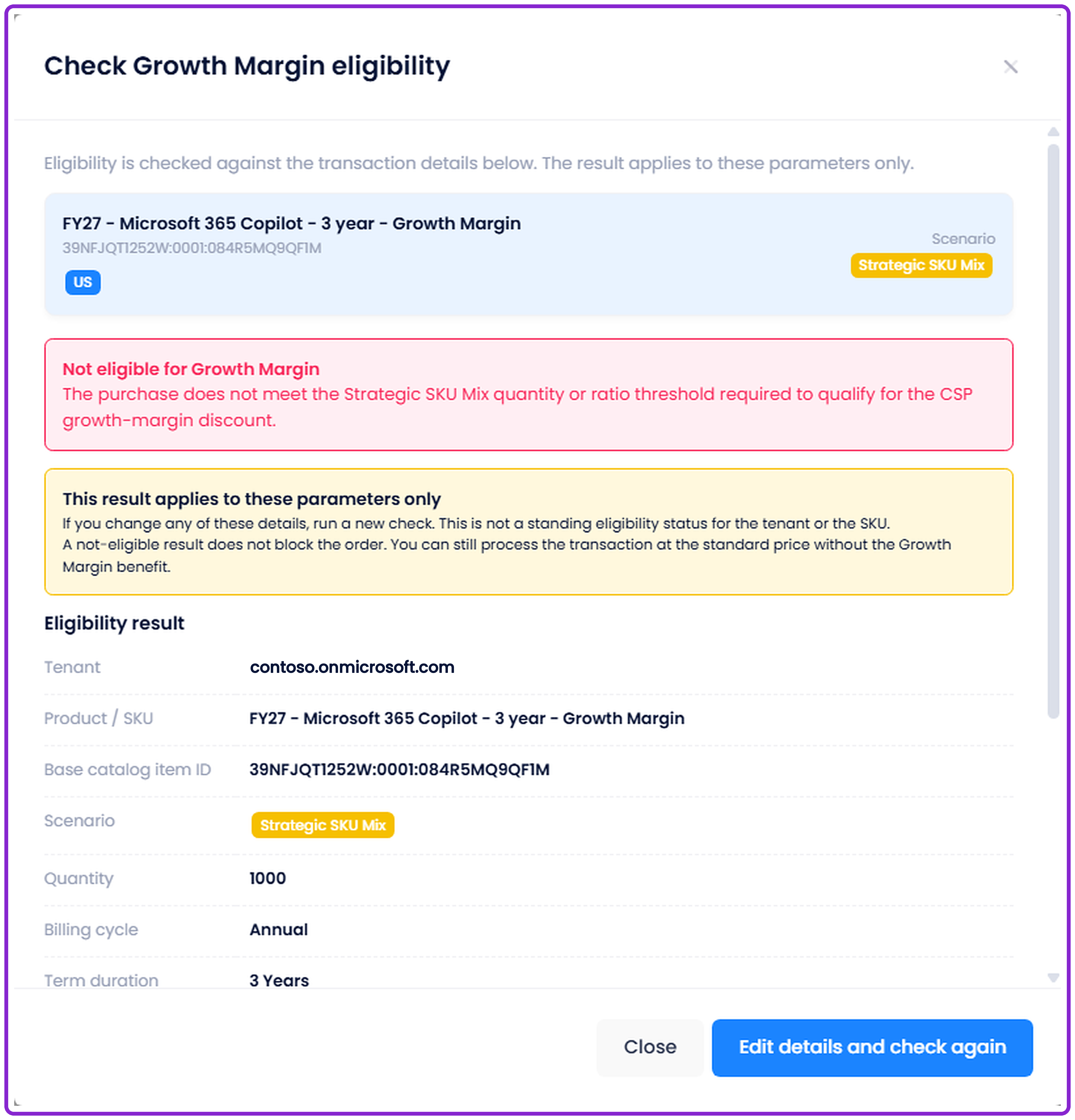
The result shows whether the purchase is eligible, the reason, and the values that were checked. Partners can change the details and check again.
| Eligible for Growth Margin | Not eligible for Growth Margin |
|---|---|
 |
 |
Checking eligibility does not purchase, reserve, or change any subscription.
Download
Partners can download the offers they are viewing, with the current search and filters applied, as a CSV file.
Why It Matters
This update helps Partners plan Microsoft purchases that earn growth margin.
- See growth margin opportunities for each customer in one place
- Confirm a purchase qualifies before buying it
- Adjust quantity, billing cycle, or term to earn the margin